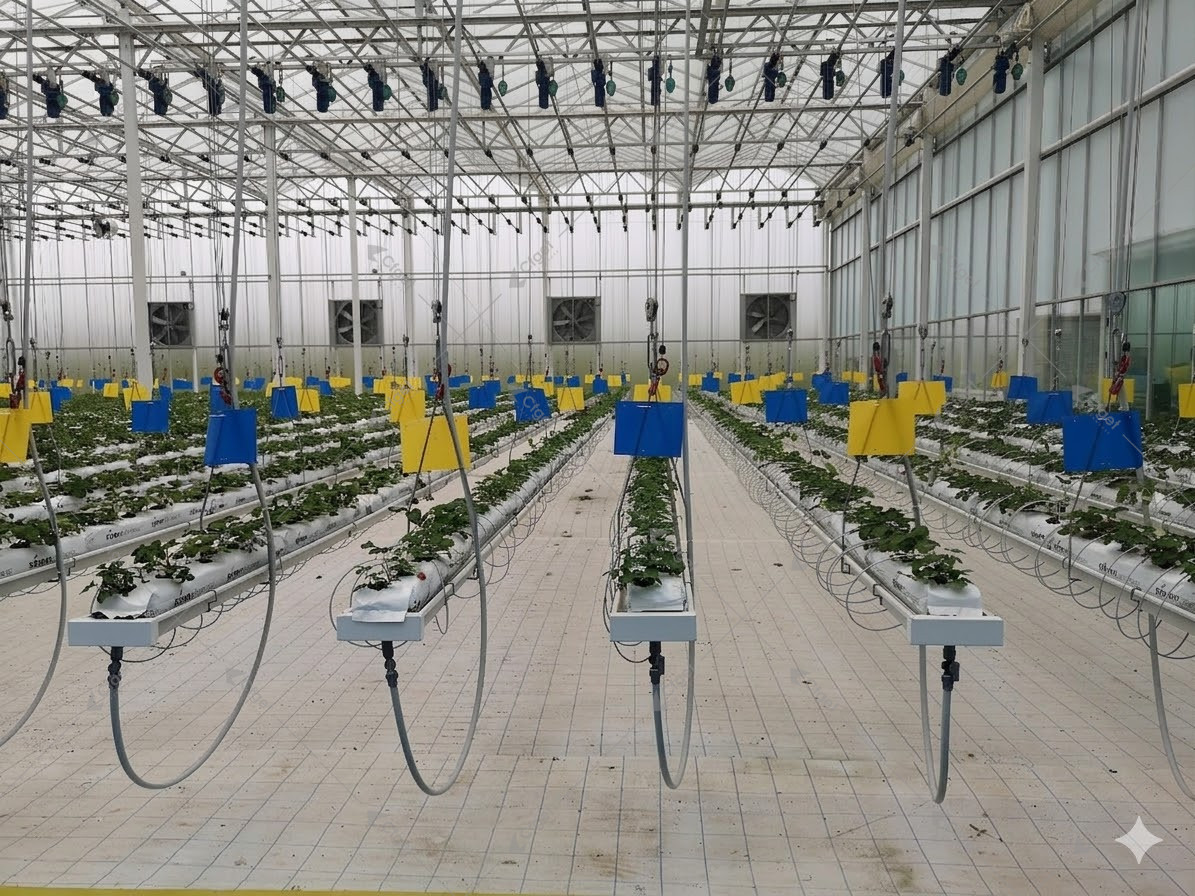
A commercial smart greenhouse coordinates sensors, control logic and operating equipment. It measures crop-zone conditions, decides what should change, operates the connected equipment, records the result, and alerts the grower when the process moves outside a safe range.
What is a smart greenhouse?
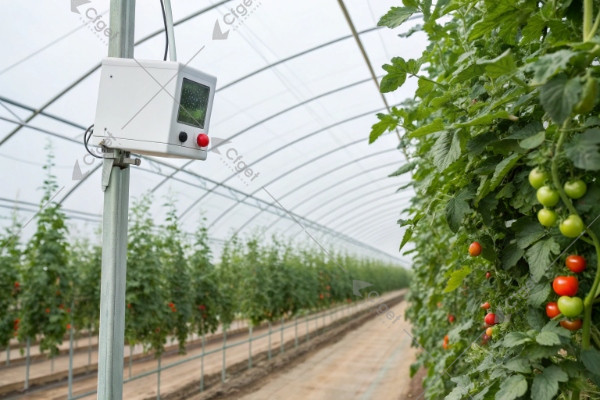
A commercial smart greenhouse connects measurements, control logic and equipment. The controller reads indoor and outdoor conditions, compares them with the crop strategy, then adjusts vents, fans, screens, heating, cooling, irrigation, lighting or other connected systems. Remote access is useful, but it is only the interface. The value comes from stable control and clear operating data.
Not every project needs the same level of automation. A naturally ventilated seasonal greenhouse may need weather protection, irrigation control and high-temperature alarms. A year-round glass greenhouse may require coordinated climate, water, energy, lighting and crop-zone control. The crop, climate, labour model and cost of failure should decide the scope.
The five layers of a commercial smart greenhouse system
| Layer | Typical components | Buyer question |
|---|---|---|
| 1. Measurement | Indoor temperature and humidity, radiation, CO2, substrate moisture or weight, water EC and pH, outdoor weather | Where will each sensor be installed, and how will it be calibrated? |
| 2. Control logic | Setpoints, time periods, dead bands, priorities, interlocks and crop recipes | Can the supplier explain the sequence in plain language before programming? |
| 3. Actuation | Vents, fans, pads, pumps, valves, screens, heating, fogging and lighting | Are capacities, motor loads, feedback signals and manual overrides defined? |
| 4. Supervision | Dashboard, trends, alarms, reports, user permissions and remote access | Who owns the data, and what still works if the internet connection fails? |
| 5. Safety and service | Fail-safe positions, backup power, surge protection, spare parts, training and support | What happens after a sensor error, actuator fault or power interruption? |
How much automation does your greenhouse need?
Start with crop risk, not the equipment catalogue
List the conditions that can damage the crop or interrupt production. Heat peaks, frost, high humidity, irrigation failure, salinity, power loss and poor ventilation may not carry the same risk in every project. Automate the high-consequence processes first, then add convenience functions.
Define zones before selecting sensors
One greenhouse can contain different exposures, crops or irrigation blocks. A single reading near the service aisle may hide conditions at the canopy or far end of the structure. The drawing should show climate zones, irrigation zones, sensor locations and the equipment controlled in each zone.
Specify coordinated sequences
Devices can work against each other when control priorities are unclear. A roof vent can waste injected CO2. A screen can change temperature and humidity. Irrigation timing affects root-zone oxygen and drainage. The supplier should describe how related systems are staged, limited and interlocked.
Keep a safe manual path
Commercial automation should reduce routine work without making the facility helpless during a fault. Essential equipment needs local control, understandable alarm messages and a documented fallback procedure. Remote access must not be the only way to operate the greenhouse.
Choose the control scope your operating team can maintain
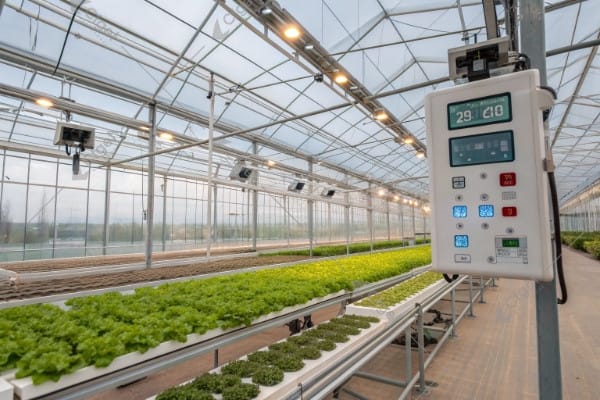
Use the five system layers above to describe the architecture. Then decide how much coordination the operation can support. More connected devices create more points to configure, maintain and investigate; they do not, on their own, establish a better crop result.
The following is a working comparison for a procurement discussion, not an industry certification or a sequence every greenhouse must complete.
| Working scope | When to consider it | What must be in place | Demonstration to request |
|---|---|---|---|
| Basic local control | Clearly defined equipment and a limited operating sequence | Maintained sensors, understandable settings, local operation and an assigned alarm response | Show the measured input, command, equipment response and operator action for one agreed scenario |
| Coordinated control across zones | Different crop areas or interacting climate and water systems require coordinated decisions | A zone drawing, agreed priorities, compatible interfaces, time-aligned records and someone responsible for configuration | Follow a scenario across zones and show that the expected equipment responds without unintended commands elsewhere |
| Advanced optimization or predictive functions | The operator has a specific decision to improve and a usable baseline for comparison | Reliable historical data, stated constraints, maintained equipment, a method to evaluate recommendations and a defined fallback | Explain an individual recommendation, its input assumptions, its limits and how the operator accepts, rejects or reverses it |
A grower may reasonably stop at the first scope if it solves the defined operating problem. Another project may need coordinated zones from the start. Select the scope from the crop brief, operating complexity and available support; do not buy an optimization claim before the basic measurements and equipment responses can be checked.
Put maintenance and acceptance into the same comparison
Ask who will inspect sensors, follow the manufacturer’s calibration procedure, manage settings and investigate alarms. Identify the recurring charges, replacement components, service access and staff time in the offer. A comparison that omits those responsibilities can make a more demanding system appear easier to operate than it is.
Keep a record of who can view data, change crop settings and alter control logic. Ask what remains locally operable if a remote service is unavailable, where settings and records are retained, and how restoration is demonstrated. NIST’s guidance for operational technology explains why performance, reliability and safety matter when digital systems interact with physical equipment. It is not a greenhouse product endorsement or proof that a supplier’s system meets your acceptance requirements.
Use a written scenario sheet for the demonstration. For each scenario, enter the starting condition, expected response, permitted operator action, alarm destination and evidence to retain. Include a normal transition, an invalid input, an equipment response mismatch and loss of the remote service where applicable. Agree the expected behavior with the responsible designer rather than inventing a universal safe state.
Run fault scenarios through a supplier-approved simulation or an agreed controlled acceptance procedure. Do not improvise failures in a working crop. Record the configuration version and any exceptions so that a later software or equipment change does not silently invalidate the result.
For an advanced function, ask for the comparison that will establish value. What decision changes, against which baseline, over what crop period, and with which operating costs included? If that cannot yet be answered, treat the benefit as an unverified proposal in the investment model. A dashboard demonstration is evidence of an interface; a measured commercial benefit requires its own records.
Bring the selected scope and unresolved scenarios into the RFQ below. The CFGET smart-control overview and irrigation and fertilization scope can help locate system boundaries. They should complement the buyer’s operating brief and acceptance record, not replace them.
What should a smart greenhouse RFQ include?
Send every supplier the same operating brief. At minimum, include:
- Project location, design weather data and available utilities.
- Crop, growing method, production calendar and target climate ranges.
- Greenhouse area, zones, future expansion and service-room layout.
- Equipment already selected and the systems still to be designed.
- Required measurements, accuracy, placement and calibration responsibility.
- Actuator list, motor loads, feedback signals and manual overrides.
- Control sequences, alarm thresholds and fail-safe positions.
- Data storage, export format, user permissions and remote-access policy.
- Commissioning tests, operator training, manuals and acceptance criteria.
- Warranty, spare parts, response time and support after startup.
CFGET’s smart automation and control overview shows the main hardware and control functions. The irrigation and fertilization page helps define the water-side scope. Use the project library to compare the proposed system with facilities that have a similar crop or climate.
How should a buyer evaluate smart greenhouse cost and ROI?
There is no responsible universal payback period. The business case depends on the baseline operation, crop value, weather exposure, labour cost, energy price, market window and cost of crop loss. Build the estimate from measurable changes instead of a headline percentage.
Estimated annual net benefit, in a stated currency per year, combines evidenced avoided-loss value, labor savings, additional contribution from marketable output and resource-cost savings, less additional operating, service and replacement costs. Count each benefit once and identify the baseline; overlapping avoided losses and increased output must not be added twice.
Use conservative assumptions and test a poor season as well as a good one. Include controller licences, sensor replacement, calibration, connectivity, technical support and staff training. If the economics only work under perfect yield and premium pricing, the project needs another review.
Frequently asked questions
Does a smart greenhouse require predictive software?
No. Reliable sensors, clear control sequences and well-sized equipment create most of the practical value. Predictive functions can be added when the operation has trustworthy data and a defined decision they can improve.
Can an existing greenhouse be automated?
Often, yes. First audit the equipment condition, electrical panels, actuator feedback, sensor locations, network coverage and manual controls. Some equipment can be integrated; other components may need replacement.
Will the greenhouse stop if the internet fails?
Essential local control should continue without cloud access. Confirm this in writing, together with data buffering, alarm behaviour and the procedure for remote support.
What information should be delivered at commissioning?
Request as-built drawings, the I/O list, control narratives, settings backup, alarm list, user accounts, test results, manuals, training records and a spare-parts list.